
Pose
Bicep Heart
One photo becomes a seven-second Bicep Heart video.
Bicep Heart is a seven-second pose clip: grip the opposite arm, flex, and curl the free hand into a heart. This generator turns one waist-up portrait into that clip — silent MP4, no watermark, 9:16, 1:1 or 16:9, at 768P or 2K. The exact credit cost is shown before you generate.
Two templatesOne photo7 seconds9:16 / 1:1 / 16:9768P or 2KNo watermark
The workspace
Bicep Heart AI Video Generator
Turn one waist-up portrait into the Classic Pose. Seven seconds, silent MP4, 5 credits at 768P; the exact cost is shown before you generate.
Bicep Heart pose
What is the Bicep Heart pose?
The Classic Pose is the Bicep Heart video people post: grip the opposite arm, flex, then rest the free hand on the muscle so the hand and the bicep make a heart. Preview the reference clip, then put yourself in it.
Pet
Pet Pose
Bicep Heart results from different photos
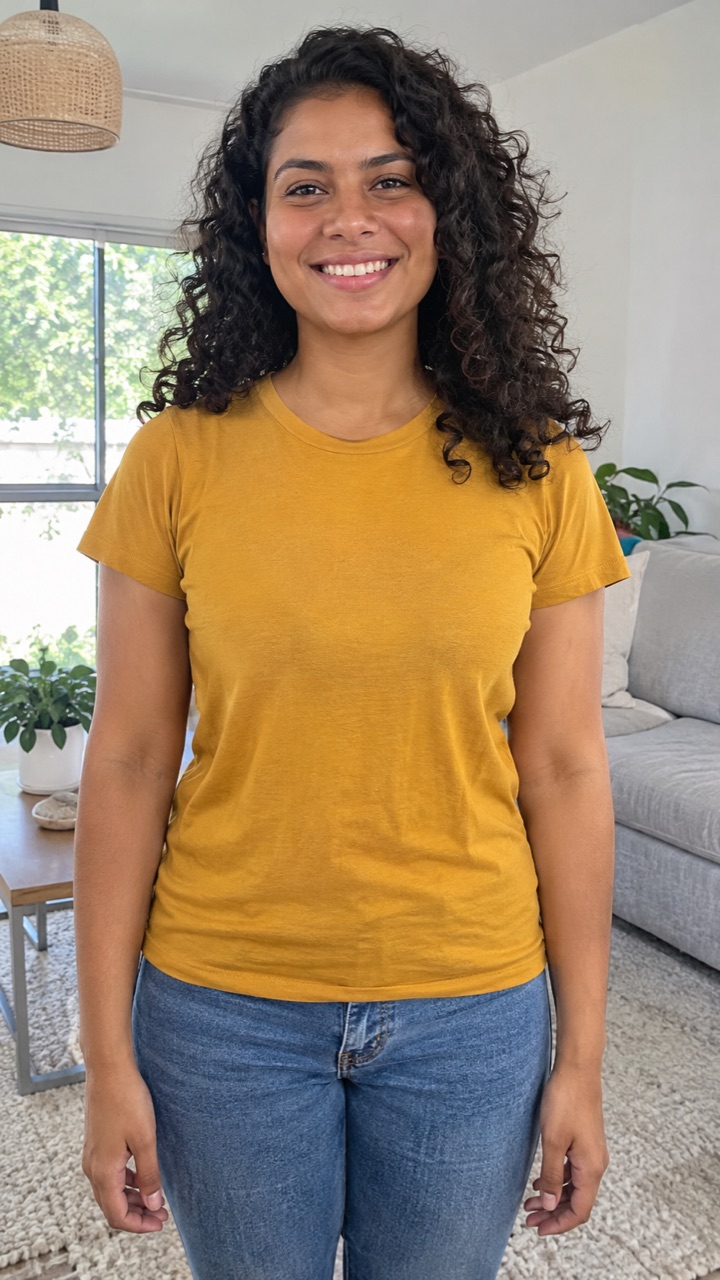
A plain selfie becomes the pose
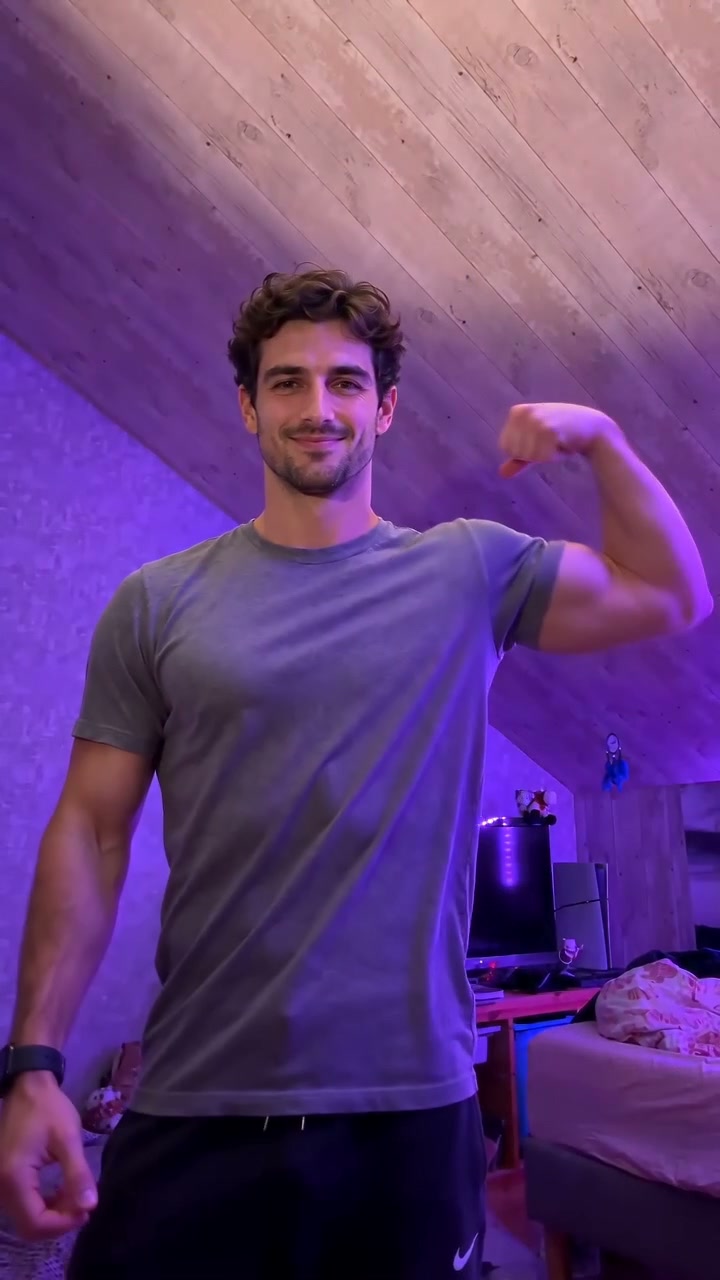
The reference clip the template is built on
Bicep Heart pose
What happens in the 7-second Bicep Heart video?
Four frames from the Classic Pose reference clip. This is the motion your photo is placed into.
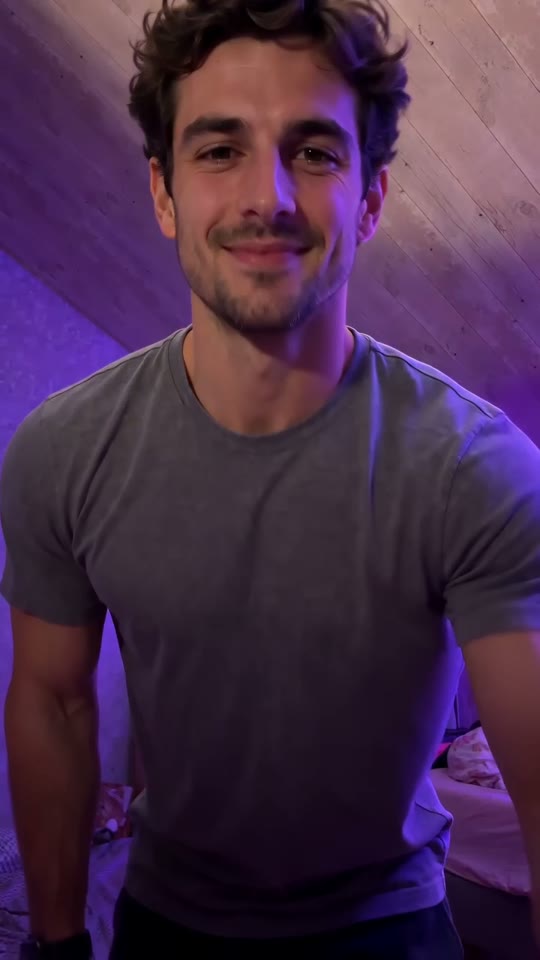 01
Face the camera
A relaxed, front-facing start. Both arms in frame.
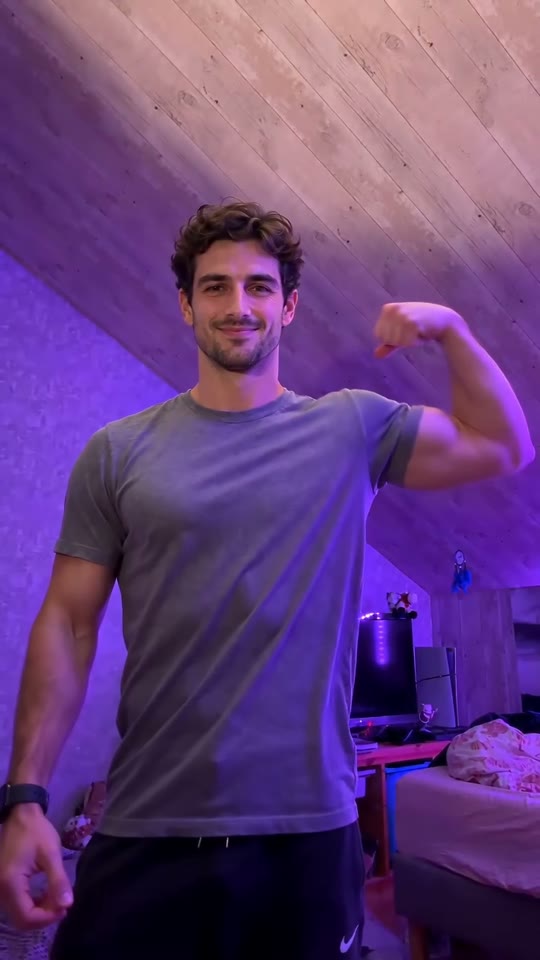 02
Grip the arm
One hand crosses to the opposite upper arm, just above the elbow.
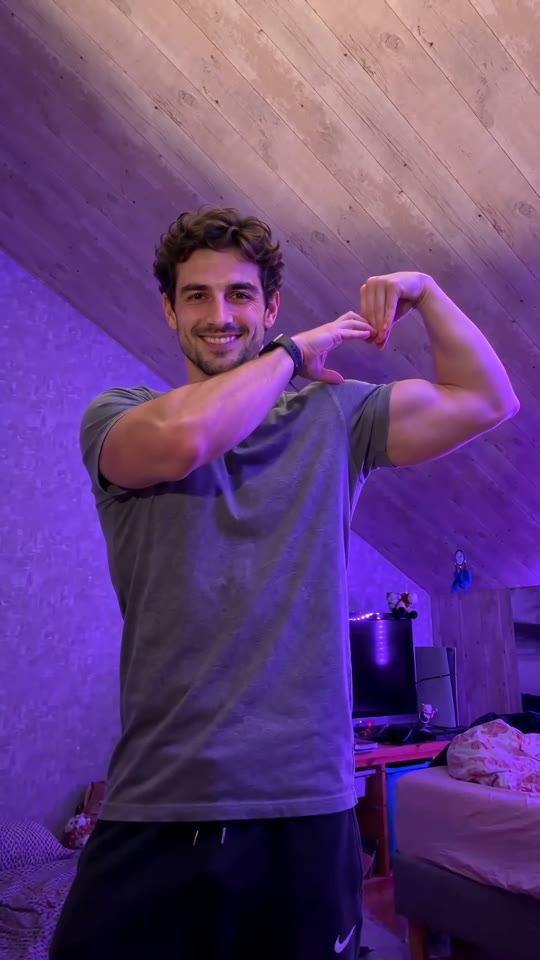
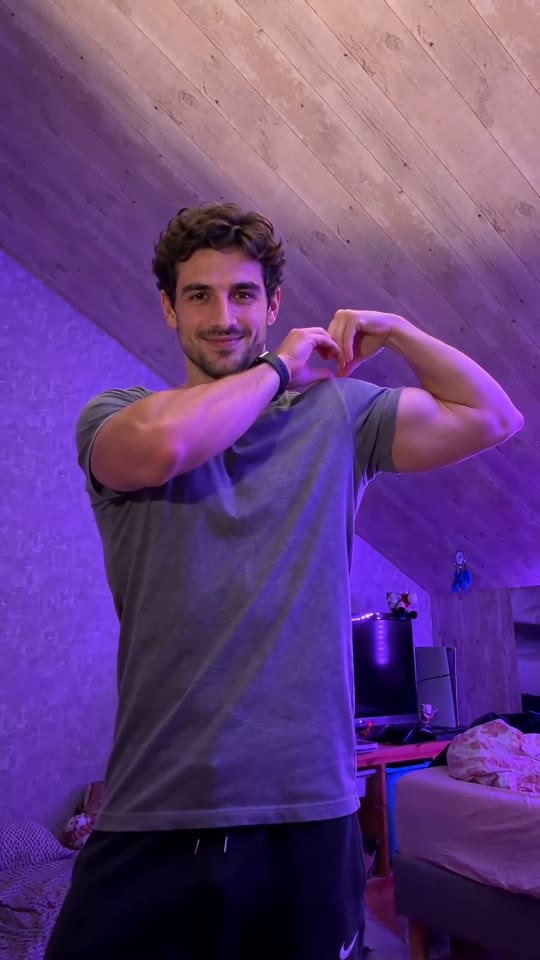 03
Flex and finish the heart
The bicep comes to the camera and the free hand closes the heart shape.
 04
Hold it
The last beat is the joke landing. Then the clip ends.
The clip is silent. Film it yourself if you want the take live — the pose guide walks through the body mechanics.
Bicep Heart trend
Who started the Bicep Heart trend?
The earliest #bicepheart posts this site has verified, with dates and links to each post.
The tag appears
Videos start showing up under #bicepheart on TikTok. The pose is already set: grip the arm, flex, make a heart with the free hand.
Browse #bicepheart“im sad please send bicep hearts”
@mckennacrisp turns the pose into a request: post one and send it to someone having a bad day. The caption becomes the format.
Watch the post“have you ever heard of a bicep heart”
@kavithageorge opens with the question, then does the pose. The hook explains the joke to everyone who had not seen it yet.
Watch the postThe pose becomes a photo job
People who do not want to film a take start asking for the clip from a still. That is the job this generator does: one portrait in, one silent seven-second clip out.
Make one from a photo
Bicep Heart AI is independent and not affiliated with TikTok or the creators above.
How to make a Bicep Heart video
How to make a Bicep Heart video in three steps
How the Bicep Heart AI Video Generator turns one photo into a seven-second clip: open the workspace, drop a portrait, choose the frame.
Open the Bicep Heart pose template
The Classic Pose already carries the grip, the flex and the heart. You are swapping the person in that clip, not writing a prompt.
Upload one Bicep Heart photo
A waist-up portrait with the face and both arms visible. The template sets the length at seven seconds. You pick the resolution and the frame, and the exact credit cost is shown before you start.
Post the Bicep Heart video with sound
The clip comes back silent and seven seconds long. Add a licensed or trending sound when you publish — that is how the Bicep Heart trend travels.
GRIP. FLEX. HEART.Bicep Heart picture
Bicep Heart picture from one photo
Upload one portrait and the generator returns a seven-second Bicep Heart video: grip, flex, heart. Your face and outfit come from the photo; the pose comes from the Classic Pose reference clip.
- One template, one photo
- Classic Pose carries the grip, the flex and the heart. Your waist-up portrait supplies the person; there is no prompt to write.
- Seven seconds, silent
- The template sets the length. The MP4 comes back without music, so you add a licensed or trending sound when you post.
- Every kind of frame
- 9:16 for TikTok, Reels and Shorts, 1:1 for a square post, 16:9 for YouTube, at 768P or 2K.
- Credits before the take
- 5 credits for a 768P render, 8 for 2K. The exact total is shown before you submit, and a failed render refunds its credits.
Bicep Heart pricing
How much does a Bicep Heart video cost?
Bicep Heart AI credits: compare the options, see what one seven-second render actually costs, and know that a failed run returns its credits.
Single
Start with one pose.
$6.99
one-time purchase
10 credits
About 2 × 7s 768P videos · 1 × 2K
- Classic Pose and Pet Pose templates
- 9:16, 1:1 or 16:9 at 768P or 2K
- Silent MP4, no watermark
- Failed renders return their credits
Duo
Make space for another take.
$29
one-time purchase
50 credits
About 10 × 7s 768P videos · 6 × 2K
- Classic Pose and Pet Pose templates
- 9:16, 1:1 or 16:9 at 768P or 2K
- Silent MP4, no watermark
- Failed renders return their credits
Crew
Popular choiceMake room for more Bicep Heart videos.
$99
one-time purchase
250 credits
About 50 × 7s 768P videos · 31 × 2K
- Classic Pose and Pet Pose templates
- 9:16, 1:1 or 16:9 at 768P or 2K
- Silent MP4, no watermark
- Failed renders return their credits
Checkout is currently unavailable. Plan prices are shown for comparison; no payment will be taken.
Bicep Heart FAQ
Bicep Heart FAQ
A closer look at the Bicep Heart video generator and how this workspace works.
- Photo
- One waist-up portrait
- Length
- 7 seconds, set by the template
- Output
- Silent MP4, no watermark
- Frames
- 9:16, 1:1 or 16:9
- Quality
- 768P or 2K
- Cost
- 5 credits at 768P, 8 at 2K
Bicep Heart guidesAll questions and answersAbout Bicep Heart AI
What is Bicep Heart?
Bicep Heart is a short pose clip: you smile, grip the opposite upper arm, flex, then rest your free hand on the muscle so the hand and the bicep form a heart. This Bicep Heart AI Video Generator turns one portrait into that silent seven-second clip. Bicep Heart AI is independent and is not affiliated with TikTok or the original trend clips.
How many photos does Bicep Heart need?
One per video. Classic Pose takes a front-facing, waist-up portrait of an adult who agreed to appear, with the face and both arms visible. Pet Pose takes one clear photo of a dog or cat with the front legs visible.
Do I need to write a prompt for Bicep Heart?
No. The pose, timing and camera come from the reference clip. Add your photo, choose the frame and generate. There is nothing to write.
How long is a Bicep Heart video, and can I choose the length?
Seven seconds in both templates. The template clip sets the length and it cannot be changed. You choose the resolution and the frame — vertical 9:16, square 1:1 or landscape 16:9, at 768P or 2K — and the exact credit cost is shown before you start.
Will my Bicep Heart video still look like me?
The model keeps the face, hair and outfit from your photo. A clear, front-facing, evenly lit portrait keeps the most detail. Hands and the heart shape follow the reference clip, so small details can vary between runs.
Does a Bicep Heart video include music?
No. Every clip is delivered silent. Add a licensed or trending sound in TikTok, Reels or Shorts when you post — that is how the Bicep Heart trend travels.
Can I upload a photo of someone else to Bicep Heart?
Only with their consent. Use photos of yourself, or of people who have agreed to appear in your video. Photos of celebrities and public figures are rejected.
What does Bicep Heart cost, and what if a render fails?
The price depends on resolution. The generate button shows the exact credits before you start, and the server looks the total up. A failed run refunds the credits automatically, so you only pay for finished files.
How much does one Bicep Heart video cost?
A seven-second 768P render is 5 credits. The same clip at 2K is 8 credits. The Single pack is $6.99 for 10 credits — enough for two 768P videos — and the workspace shows the exact total on the generate button before you submit.
Can I make a Bicep Heart video without filming myself?
Yes. Upload one waist-up portrait and the Classic Pose template performs the four beats for you. You do not need to film a take, write a prompt or download an app. Your face, hair and outfit come from the photo; the motion comes from the reference clip.
Can I turn a selfie into a Bicep Heart video?
Yes, if the selfie shows your face and both arms. A waist-up portrait works better than a tight headshot: the template needs room for the grip and the flex, and a crop that cuts the elbows leaves the model guessing at the rest of the body.
Is Bicep Heart AI free?
Not unlimited. Browsing the template, playing the reference clip and reading the guides costs nothing, but every render is charged in credits. The Single pack is $6.99 for 10 credits, which covers two 7-second 768P clips. A failed render refunds its credits automatically.
What happens if a Bicep Heart render fails?
The credits return to your balance automatically, so you only pay for finished files. If a job is still processing, let it finish rather than submitting the same photo again and paying twice.
What AI tool makes those Bicep Heart videos on TikTok?
Photo-to-video models that take a reference clip plus one portrait. This site is one implementation: the Classic Pose template is a finished reference clip, so the grip, the flex and the heart come from the clip while the face comes from your photo. Other sites build the same kind of workflow around their own reference clips.
What file do I get from the Bicep Heart generator?
A silent MP4, seven seconds long, in the frame you chose — 9:16, 1:1 or 16:9 — at 768P or 2K. There is no watermark. Captions and sound are added when you post in TikTok, Reels or Shorts.